How to Set Up a CRM That Actually Works for Your Small Business
A CRM Should Simplify Your Business - Not Add to the Chaos
Ask any small business owner who has tried to set up a CRM and you will hear a version of the same story. They signed up, felt excited, got three screens in, and then quietly closed the tab and went back to their spreadsheet. Sound familiar?
The problem is almost never the business owner. It is the approach. Most CRM onboarding processes are designed for enterprise sales teams with dedicated IT departments - not for a founder who is also doing marketing, fulfillment, and customer service before lunch.
This guide is different. We are going to walk through exactly how to set up a CRM that works for a real small business, in plain language, one step at a time.
Key Take-Aways
- A CRM is the backbone of a smart business - it tracks every lead, every client, and every deal so nothing falls through the cracks.
- Start simple - you do not need to configure every feature on day one; a working CRM with a few key stages beats a perfect CRM that never gets used.
- Your pipeline stages should match how your business actually operates - not a generic sales template.
- Automation is the multiplier - once your pipeline is built, adding automated follow-ups turns your CRM into a revenue engine.
- Setup support matters - the right partner gets you live and confident fast, without the overwhelm.
Step 1: Get Clear on Your Client Journey Before You Touch the Software
The biggest mistake small business owners make when setting up a CRM is jumping straight into the platform without first mapping out how a client actually moves through their business.
Before you log in, grab a piece of paper and answer these questions:
- How does a new lead first find you? (referral, website, social media, event?)
- What happens next? Do they fill out a form, call you, or message you?
- What are the steps between first contact and becoming a paying client?
- What does your onboarding look like once they sign on?
- How do you stay in touch with existing clients?
Those answers are your pipeline stages. Write them down as a simple sequence - that is what you will build in your CRM.
Step 2: Set Up Your Pipeline Stages
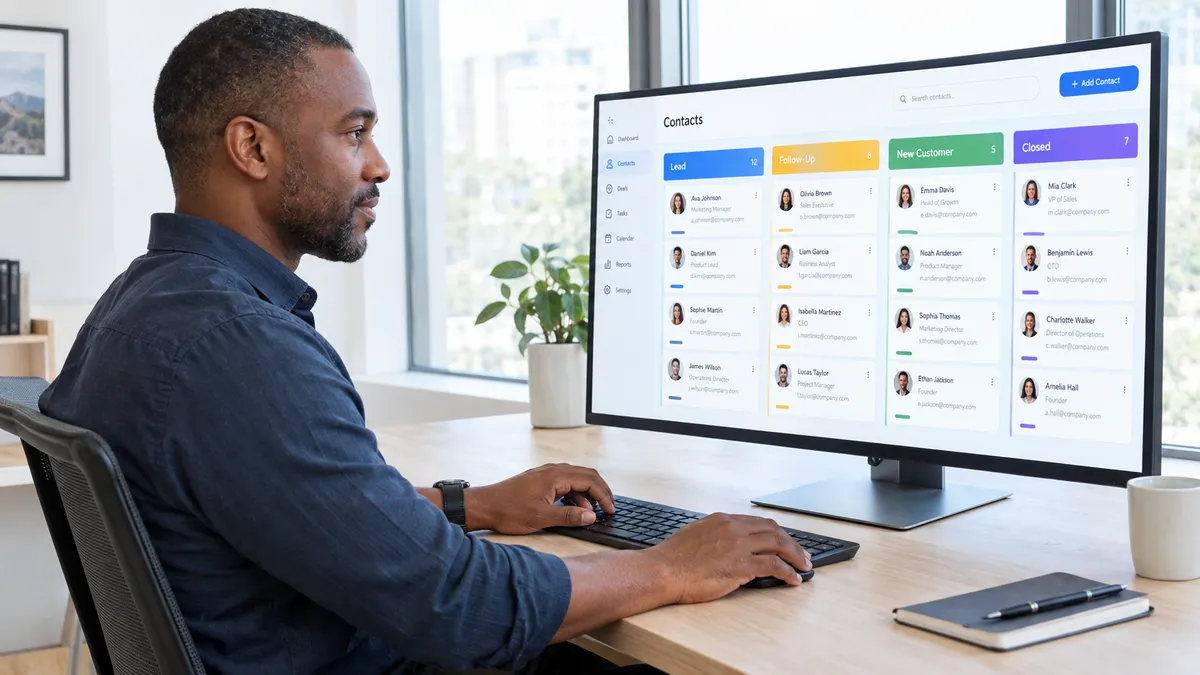
A pipeline is simply a visual representation of where every lead and client sits in their journey with your business. Your stages should reflect your actual process - not a generic sales funnel.
A simple small business pipeline might look like this:
- New Inquiry
- Discovery Call Scheduled
- Proposal Sent
- Contract Signed / Client Won
- Onboarding Active
- Ongoing Client
- Past Client / Re-Engagement
You do not need more stages than this to start. Add complexity later when you can see where deals are getting stuck.

Step 3: Import Your Existing Contacts
Once your pipeline is built, bring in your contacts. Most CRMs allow you to import from a spreadsheet - export your existing client list, leads list, or email list and map the fields (name, email, phone, notes) to the correct columns in your CRM.
If you do not have a clean list yet, start by adding your most active leads and current clients manually. Even 20 contacts in a working CRM is infinitely more useful than a perfect empty one.
Step 4: Set Up Your Core Automations
This is where a CRM transforms from a digital rolodex into a business growth engine. At minimum, set up these three automations before anything else:
1. New lead notification and instant response. When someone fills out your contact form or inquiry, your CRM should immediately send them a warm acknowledgment and notify you. No lead should wait more than a few minutes for a response.
2. Follow-up reminder sequence. If a lead goes quiet after a discovery call or proposal, your CRM should automatically nudge you to follow up - and optionally send the lead a gentle check-in message.
3. New client welcome sequence. The moment a deal moves to Client Won, trigger a welcome email, a document delivery, and a calendar booking link. All automated. All done while you focus on delivering your best work.
If you have been wondering whether your business has already outgrown its current setup, our post 7 Signs You Have Outgrown Your Current Tech Stack covers the exact warning signs to watch for.
Step 5: Connect Your Communication Channels
A CRM works best when it is the central hub for all your client communication. Connect your email, your business phone or SMS line, and your calendar so that every interaction - call, message, appointment - is automatically logged against the right contact record.
This means you never have to dig through your inbox to remember what you said to a client. Everything is in one place, timestamped, and searchable.

Step 6: Build a Simple Dashboard and Review It Weekly
Set up a basic reporting dashboard that shows you three things at a glance: how many new leads came in this week, how many deals are currently active in your pipeline, and how many clients you closed. Review it every Monday morning.
This 10-minute weekly ritual will tell you more about the health of your business than any amount of gut-feel guessing - and it gives you the data to make confident decisions about where to focus your energy.
FAQ: Setting Up a CRM for Small Business
How long does it take to set up a CRM properly?
With setup support, most small businesses can have a functional CRM - with pipeline, contacts, and core automations - live within a few days. Without support, it can take weeks or stall entirely. A guided setup is almost always worth it.
Do I need to migrate from my spreadsheet all at once?
No. Start with your most active leads and current clients. Move the rest over time. What matters is that your new leads start flowing into the CRM from day one.
What if I do not have a sales team?
CRMs are not just for sales teams. Solopreneurs and service-based businesses use them to manage client relationships, track project status, automate follow-ups, and stay organized. If you have clients, you benefit from a CRM.
What makes My Biz Suite different from other CRM options?
My Biz Suite is an all-in-one system - it combines CRM, email marketing, AI chatbot, Voice AI, social scheduling, and analytics in one platform. You are not duct-taping separate tools together. It is built for small businesses and backed by a support community, not just a help desk.
Your CRM Should Feel Like a Relief - Not a Chore
The right CRM, set up the right way, becomes the most valuable tool in your business. It protects your revenue, eliminates dropped balls, and gives you clarity on exactly what is happening across every client relationship - at a glance.
Tech With Heart Network's My Biz Suite includes full CRM functionality, automated pipelines, and a setup process designed to get you live and confident fast. Starting at $197/month with a 14-day risk-free trial.
Book a strategy call and let us help you build a CRM that actually works for your business.